

Physics-driven lumber sandbox
Lumber Tycoon 2 Wiki
Chop trees, haul logs, mill planks, and turn a small plot into a working lumber empire. Explore Lumberland for valuable woods, better axes, vehicles, building systems, and long-term sandbox projects.
- Launched Aug 2015
- Updated Sep 18, 2026
- 1.315B+ Visits
- 4.62M+ Favorites
- 87.7% Rating
- 6 Players per Server
Latest Updates
Start Here
- 01
The Ultimate Lumber Tycoon 2 Guide: Master the Forest Today
Looking for a comprehensive Lumber Tycoon 2 guide? Learn how to optimize your sawmill, harvest rare wood, and earn money fast with these expert strategies.
- 02
Ultimate Lumber Tycoon 2 Progression Guide: Pro Tips & Tricks
Master Roblox's classic with our Lumber Tycoon 2 progression guide. Learn how to earn money fast, find rare wood, and optimize your base for peak efficiency.
- 03
Lumber Tycoon 2 How to Save: Ultimate Progress Guide
Master Lumber Tycoon 2 how to save mechanics. Learn about manual saves, auto-save glitches, data size management, and how to prevent progress loss on Roblox.
- 04
Lumber Tycoon 2 How to Play: The Ultimate Beginner's Guide
New to Roblox? Discover how to play Lumber Tycoon 2 with this expert guide, covering everything from chopping your first tree to building your dream base.
Recommended Pages
Trending Now
guide
Looking for a comprehensive Lumber Tycoon 2 guide? Learn how to optimize your sawmill, harvest rare wood, and earn money fast with these expert strategies.
Read more
progression guide
Master Roblox's classic with our Lumber Tycoon 2 progression guide. Learn how to earn money fast, find rare wood, and optimize your base for peak efficiency.
Read more
how to save
Master Lumber Tycoon 2 how to save mechanics. Learn about manual saves, auto-save glitches, data size management, and how to prevent progress loss on Roblox.
Read more
how to play
New to Roblox? Discover how to play Lumber Tycoon 2 with this expert guide, covering everything from chopping your first tree to building your dream base.
Read more
how to get land
Learn how to get land in Lumber Tycoon 2 with our comprehensive guide. Discover costs, expert tips, and how to expand your base effectively in Roblox.
Read more
how to get rich
Discover the most effective methods for Lumber Tycoon 2 how to get rich. Learn pro tips on wood grinding, sawmill setups, and maximizing profits fast.
Read more
What is Lumber Tycoon 2?
Lumber Tycoon 2 is a Roblox sandbox simulation and tycoon game by Defaultio. Players chop trees, transport logs, process wood, earn money, buy land and equipment, and build persistent bases in Lumberland.
Its long-term depth comes from physics-driven hauling, rare wood hunting, axe and vehicle progression, construction, trading, seasonal content, and increasingly complex logic builds.
Browse guides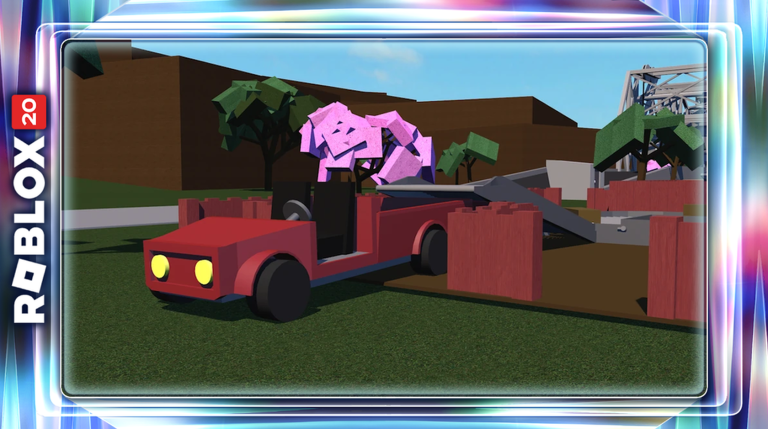
- Visits
- 1.315B+
- Favorites
- 4.62M+
- Rating
- 87.7%
- Universe ID
- 2471084
- Platforms
- Roblox
- Genres
- Simulation, Tycoon
- Players
- Max. 6
- Modes
- Multiplayer
- Release date
- 2015-08-28
- Developer
- Defaultio
Explore the wiki
Guides
Beginner walkthroughs, progression routes, money making, land ownership, and save management for every stage of Lumberland.
Building
Blueprint-driven construction, sawmill layouts, conveyors, auto loaders and unloaders, and the machinery that keeps a base running.
Axes
Axe stats, tier lists, quest tools, and upgrade paths that decide how fast you chop and how valuable each load becomes.
Woods
Every wood type, where it grows, what it sells for, and which species are worth farming for profit.
Items
Item values, wood value lists, rarest items, gift values, and trading guidance for a player-driven economy.
Map
Biome routes, islands, the maze, and travel advice for every corner of Lumberland.
Vehicles
Trucks, trailers, and custom vehicle builds that decide how much wood you can move in a single trip.
Updates
Release history, logic updates, seasonal events, player counts, private servers, and community channels.
Lumber Tycoon 2 Beginner Guide
Start from your first Basic Hatchet and learn the core chop, haul, mill, and sell loop. This guide covers buying land, setting up a sawmill, getting a vehicle, and moving from starter wood toward stronger progression routes.
- 1
Get a Basic Hatchet at Wood R Us and begin chopping common trees near the starting area.
- 2
Sell wood through the Wood Dropoff to build your starting cash balance.
- 3
Claim land so you can place persistent machinery, vehicles, blueprints, and other structures.
- 4
Add a sawmill and vehicle, then progress toward more valuable woods and stronger axes.
- Tutorial – Lumber Tycoon 2 Wiki (Fandom)Citation
“The tutorial is a basic walkthrough of Lumber Tycoon 2, offered when a player first joins the game for the first time. It consists of several pop-up messages.” — lumber-tycoon-2.fandom.com
- The COMPLETE Beginner's Guide to Lumber Tycoon 2 (Roblox) – Electro TechCitation
“In this video I explain everything a beginner player needs to know about Lumber Tycoon 2.” — youtube.com
- www.roblox.com
- devforum.roblox.com
- www.youtube.com
- lumber-tycoon-2.fandom.com
Lumber Tycoon 2 Woods & Locations
Learn the major wood types players harvest across Lumberland and where progression takes you as your equipment improves. The guide focuses on practical farming targets, rare woods, biome access, and wood selection rather than treating every tree as equally useful.
- Oak
Common starting-area wood suited to learning chopping, hauling, milling, and selling.
- Birch
A common progression target once a new player has improved their axe, hauling capacity, and sawmill setup.
- Frost Wood
High-value wood found around Taiga Peak and commonly used in advanced money-making routes.
- Phantom Wood
A difficult late-game wood with special access and equipment requirements, making preparation important before attempting a harvest.
- Category:Wood – Lumber Tycoon 2 Wiki (Fandom)Citation
“There are currently twenty-one wood types in the game, There are two main stages of wood: Log (unprocessed) and Plank (processed with the use of a sawmill).” — lumber-tycoon-2.fandom.com
- Lumber Tycoon 2 How to get BEST WOOD (Earn Money) – BrickyBeastCitation
“The Best wood and the Best way to earn money with it in Lumber Tycoon 2 will be in this video” — youtube.com
- www.roblox.com
- lumber-tycoon-2.fandom.com
- www.youtube.com
- www.youtube.com
- www.youtube.com
Lumber Tycoon 2 Axes Guide
Compare important axes from the starter tools through stronger general-purpose and specialty options. This guide explains which axes matter during progression and when upgrading your chopping tool becomes more valuable than spending on other equipment.
- Basic Hatchet
The entry-level chopping tool used to begin the normal Lumber Tycoon 2 progression loop.
- Hardened Axe
An important early progression upgrade that substantially improves chopping efficiency over the starter tools.
- Silver Axe
A stronger shop-progression axe suited to players moving beyond beginner wood farming.
- Rukiryaxe
A notable quest-related general-purpose axe and a common progression objective for established players.
- Specialty Axes
Axes such as the Fire Axe, Frost Axe, End Times Axe, and other limited tools have specialized uses or availability conditions.
- Fiery Gift of Lumber – Lumber Tycoon 2 Wiki (Fandom)Citation
“The Fiery Gift of Lumber is a gift that was purchasable from Wood R Us for $14,000 Money. When opened, it reveals a boxed Fire Axe.” — lumber-tycoon-2.fandom.com
- www.roblox.com
- lumber-tycoon-2.fandom.com
- www.youtube.com
- www.youtube.com
Lumber Tycoon 2 Money Guide
Learn how Lumber Tycoon 2 turns better tools, better wood, milling, and larger hauls into faster income. The guide progresses from simple starter sales to repeatable high-value farming routes such as Frost Wood runs.
- 1
Start by chopping accessible wood and selling it through the Wood Dropoff.
- 2
Buy land and add a sawmill so logs can be processed into planks before hauling them for sale.
- 3
Upgrade axes and transport capacity so each wood run takes less time and carries more material.
- 4
Move into higher-value routes such as Frost Wood once you have the equipment and map knowledge to harvest it consistently.
- 5
Advanced Frost farming can combine the Frost Axe, Snowmobile, sawmilling, and repeated Taiga Peak runs.
- Fastest Way To Get Money – Lumber Tycoon 2 Wiki (Fandom)Citation
“It seems that the fastest way is collecting Lava Wood, whether you have a Fire Axe or not.” — lumber-tycoon-2.fandom.com
- The ULTIMATE Guide to Making Money (Rich Fast) in Lumber Tycoon 2 – Electro TechCitation
“The best guide to earning money and getting rich fast in lumber tycoon 2 awaits you” — youtube.com
- www.roblox.com
- lumber-tycoon-2.fandom.com
- www.youtube.com
- www.youtube.com
Lumber Tycoon 2 Building & Blueprints
Turn your land from a storage plot into a functional or decorative base using the game's blueprint-driven building system. This section covers first builds, layout planning, blueprint use, doors, structures, and more advanced player-made constructions.
- 1
Own a plot of land before planning a permanent base or placing your main equipment.
- 2
Collect blueprints and use the blueprint system to place planned structures on your property.
- 3
Use processed wood to complete structures and organize sawmills, vehicle access, storage, and work areas.
- 4
Expand into larger custom builds such as workshops, garages, puzzle rooms, storage systems, and decorative bases.
- Super Blueprint – Lumber Tycoon 2 Wiki (Fandom)Citation
“Super Blueprints, also known as The Power to Build With Ease, It can be purchased for a single Slot from the Strange Man for $10,009,000” — lumber-tycoon-2.fandom.com
- 20 of the *BEST* Base Builds in Lumber Tycoon 2Citation
“20 of the Best base builds, that are extremely useful, only the best designs, including mega trucks, sawmill setups, shops” — youtube.com
- devforum.roblox.com
- lumber-tycoon-2.fandom.com
- www.youtube.com
- www.youtube.com
Lumber Tycoon 2 Logic & Automation
Learn how switches, wires, detectors, logic gates, and powered components can turn a normal base into an interactive system. The guide progresses from simple signals to conveyors, automatic machinery, doors, and advanced contraptions.
- Inputs
Levers, buttons, and pressure plates provide basic player-controlled signals for logic builds.
- Wiring
Standard and neon wires connect logic components and carry signals between different parts of a build.
- Logic Gates
Signal Inverter plus AND, OR, and XOR gates allow more complex conditional systems.
- Sensors
Wood Detector, Laser, and Laser Detector components enable automatic responses to objects and movement.
- Automation
Logic can interact with doors, conveyors, sawmills, hatches, timing components, and other activatable equipment.
- Link's Logic – Lumber Tycoon 2 Wiki (Fandom)Citation
“Link's Logic is a store in the Tropics. It currently sells Logic items such as Logic Gates and Wires.” — lumber-tycoon-2.fandom.com
- AND Gate – Lumber Tycoon 2 Wiki (Fandom)Citation
“The AND Gate is a logic item that can be purchased from Link's Logic for $260 Money.” — lumber-tycoon-2.fandom.com
Lumber Tycoon 2 Trading & Values
Trading is a major late-game activity for players looking for limited items, specialty axes, rare wood, and collectibles. This guide focuses on evaluating offers, completing player-to-player trades carefully, and reducing the risk of losing valuable inventory.
- 1
Identify exactly which items, axes, wood, or collectibles are being exchanged before negotiating a deal.
- 2
Compare current community demand and recent trade expectations instead of assuming old value lists remain accurate.
- 3
Agree on the complete trade before transferring money, dropping tools, or granting another player access to your property.
- 4
Use land permissions and item ownership carefully, especially when dealing with strangers or high-value limited items.
- NEVER Be SCAMMED AGAIN With This TRADING GUIDE... – Electro TechCitation
“Are you tired of being scammed? Do you want to learn how to trade efficiently? If yes, then this video is for you!” — youtube.com
- jblevens' Guide to Lumber Tycoon 2 Buying and Selling – Lumber Tycoon 2 Wiki (Fandom)Citation
“Spook or Glow Wood: Sell for 25k for a big spook plank, 25k for a small glow plank.” — lumber-tycoon-2.fandom.com
Lumber Tycoon 2 Vehicles & Hauling
Vehicles determine how efficiently you can move logs, planks, quest items, and shop purchases across Lumberland. Learn when to use starter transport, trailers, larger haulers, and specialized vehicles for difficult routes.
- Utility Vehicle
A practical early-game vehicle used to move wood and equipment once a player has established land.
- Trailers
Trailers extend cargo capacity and are useful when a wood run produces more material than a truck can carry alone.
- Large Hauls
Higher-capacity transport becomes increasingly valuable when farming distant or high-value wood in bulk.
- Snowmobile
A specialized vehicle commonly associated with Frost Wood and Taiga Peak farming routes.
- Category:Vehicles – Lumber Tycoon 2 Wiki (Fandom)Citation
“They can be hitched to a truck or another trailer by connecting its front hitch to the small ball hitch located at the rear-end of any truck or trailer.” — lumber-tycoon-2.fandom.com
- How To Get A Vault Truck In Lumber Tycoon 2Citation
“The Vault Truck is BACK! After 2 years of searching, I only found two methods to revive the vault truck.” — youtube.com
- www.roblox.com
- lumber-tycoon-2.fandom.com
- www.youtube.com
- www.youtube.com
Frequently Asked Questions
What is Lumber Tycoon 2?
Lumber Tycoon 2 is a Roblox sandbox tycoon game by Defaultio. Players chop trees, haul logs, mill planks, and sell wood for money, then spend it on land, axes, vehicles, sawmills, and logic equipment inside the persistent world of Lumberland.
How do you make money fast in Lumber Tycoon 2?
Early income comes from chopping accessible wood and selling it at the Wood Dropoff. Owning land, adding a sawmill, upgrading axes, and increasing hauling capacity raise your hourly income, and advanced routes such as repeated Frost Wood runs pay much more once you own the right tools and vehicle.
Is Lumber Tycoon 2 free to play?
Lumber Tycoon 2 is a free Roblox experience and only requires a Roblox account to join. The fan-made wiki is also free to read and is not affiliated with Defaultio or Roblox Corporation.
How do you save progress in Lumber Tycoon 2?
Progress is stored on your Roblox account, so play in a public server and let the game finish its save cycle before leaving. Reloading your slot before a session and keeping your data size manageable help prevent the save issues covered in our how to save guide.
Do you need to own land in Lumber Tycoon 2?
Yes. Claiming a plot of land is what allows you to place persistent machinery, vehicles, blueprints, and structures, which is why buying land is one of the first major purchases in the game.
What can you build with logic in Lumber Tycoon 2?
Logic components such as switches, wires, logic gates, detectors, and lasers can control doors, hatches, conveyors, and sawmills. Players use them to build automatic cutters, loaders, unloaders, and other contraptions that reduce manual work.
Ready to Build Your Lumber Empire?
From your first axe and plot to rare woods, efficient hauling, advanced bases, and logic builds, this fan-made wiki helps you plan every step.